Viewing Assignments and Academic Progress
Last updated: August 24, 2026
Scout gives you a clear picture of what each student has been assigned, what they've completed, and how they're progressing academically — all from a student's profile. This article covers where to find that information and how to read it.
Viewing a student's assignments
Click Students in the left navigation bar.
Search for and select the student, then click View full profile.
Click the Learning Periods tab.
Choose the learning period you want to review using the tabs at the top of the page.
Scroll to the Assignments section to see every assignment created for that learning period, organized by course.
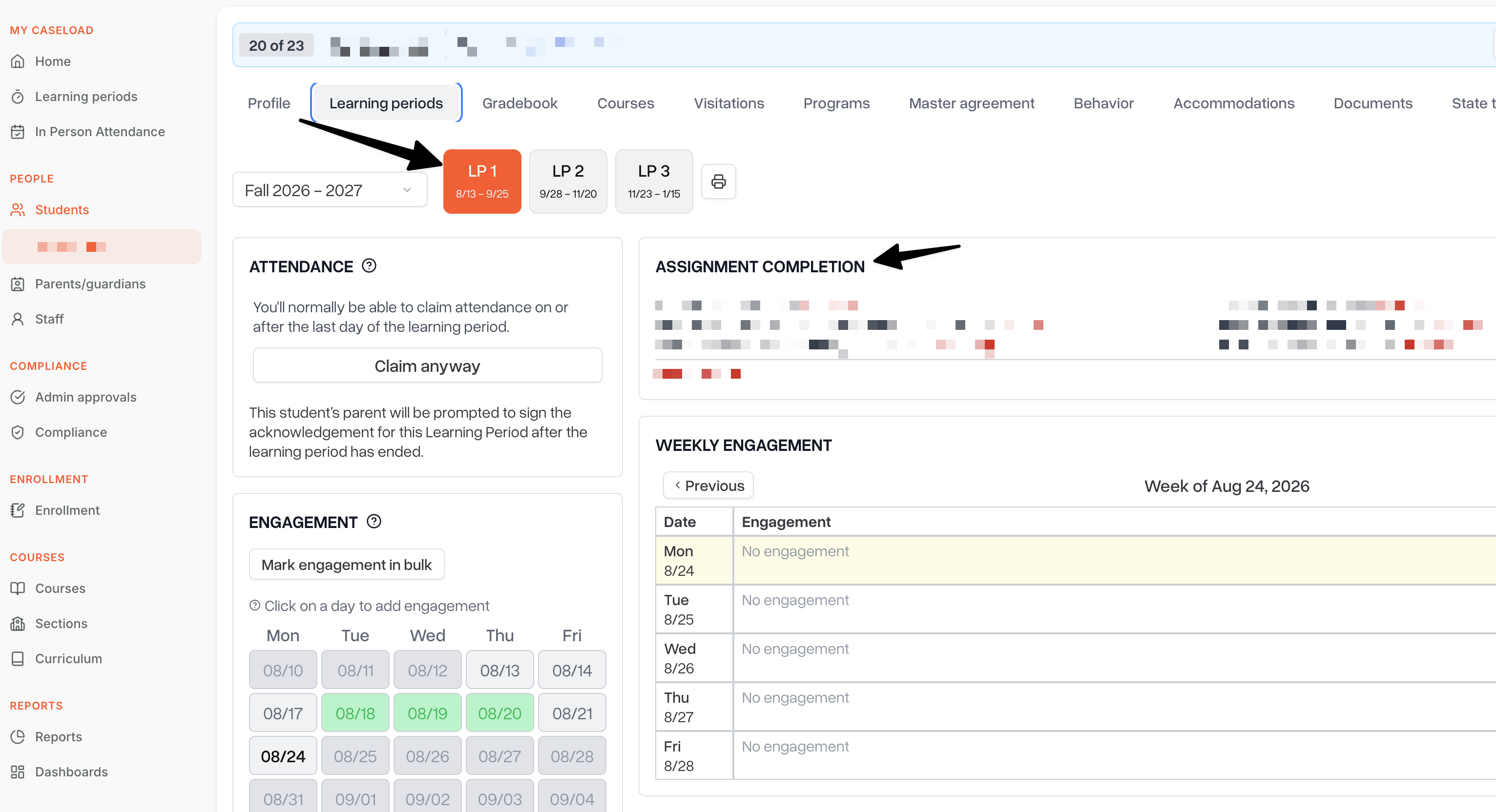
Each assignment shows the course it belongs to, its expected effort in minutes, and its current status:
Assigned: The assignment has been given to the student but not yet marked complete.
Submitted: The student has completed the assignment, either automatically (through a connected online curriculum provider) or because it was marked submitted manually.
Once an assignment is submitted, the actual effort recorded for it appears in the student's engagement log, alongside any other activity logged for that day.
Viewing academic progress in the gradebook
A student's grades and overall academic progress live in the Gradebook tab on their profile.
From the student's profile, click the Gradebook tab.
Select the section you want to review.
Group assignments by learning period to see every assignment tied to a specific learning period, along with its grade.
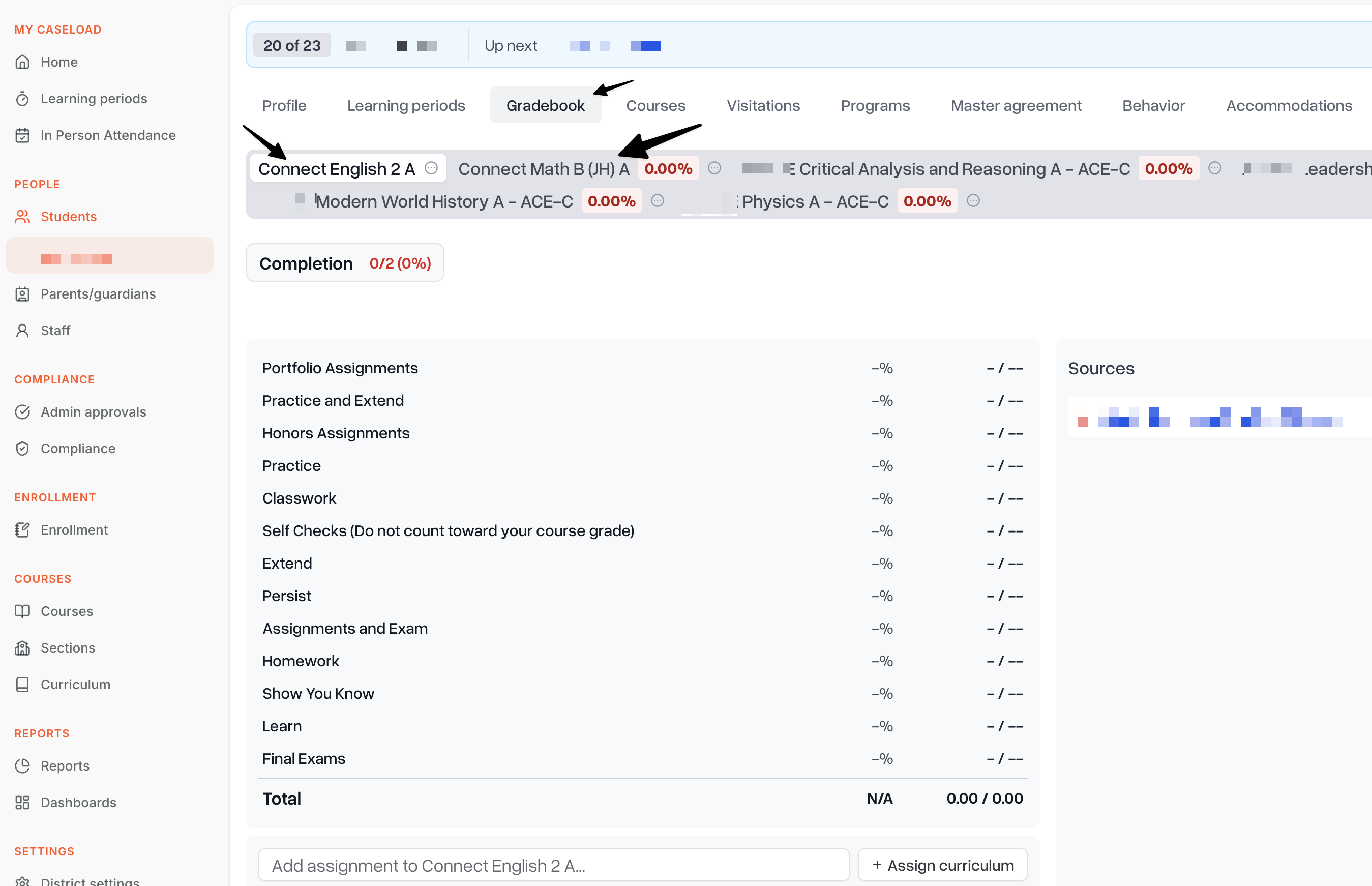
Depending on how the section's gradebook is configured, the Overall Grade is calculated either directly from individual assignment grades, or from the final grade entered for each learning period. Either way, the Overall Grade column always reflects the student's most current average, and that grade carries through to the student's records and report cards.
Tracking engagement alongside progress
Assignment completion and grades tell you what a student has finished, while the engagement log tells you how they spent their time working on it. Reviewing both together — the Assignments section and the Engagement section on the Learning Periods tab — gives you a complete view of a student's academic progress for the period.
Related articles
Staff: Managing assignments in Scout
Staff: Daily engagement logs in Scout
How to Add Grades Per Learning Period in the Scout Gradebook
Frequently asked questions
Can I see assignments across all my caseload students at once? The Assignments section is organized per student. For a caseload-wide view of activity, use the Learning Periods engagement grid, which shows every student and day on one screen.
What if an assignment doesn't have a grade yet? A submitted assignment can still be waiting on a grade. Che