Viewing Your Child's Class Enrollment
Last updated: August 20, 2026
From your Scout parent account, you can view your child's classes they're enrolled in for each term.
Overview
Your child's class enrollment are set up by the school's staff. As a parent or guardian, you have read-only access: you can see exactly what your child is enrolled in, but you can't add, drop, or change classes yourself from Scout.
Viewing your child's courses
Log in to your Scout parent account.
If you have more than one child at the school, select the child whose courses you want to view. (You only need one parent account — it's linked to all of your students.)
Open your child's profile.
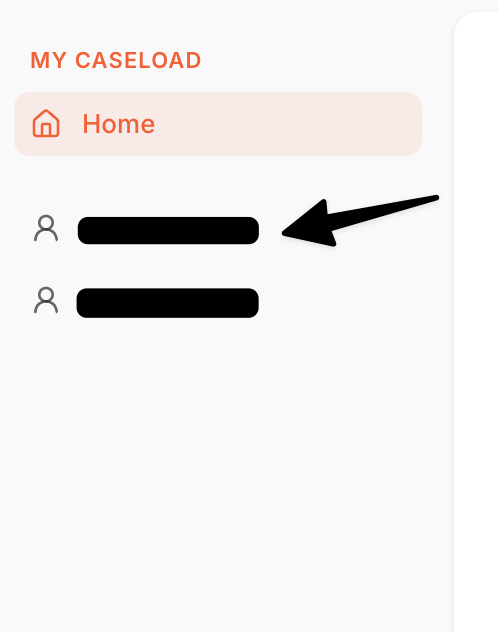
Look for the section listing their classes for the current term, including the courses and sections they're enrolled in.
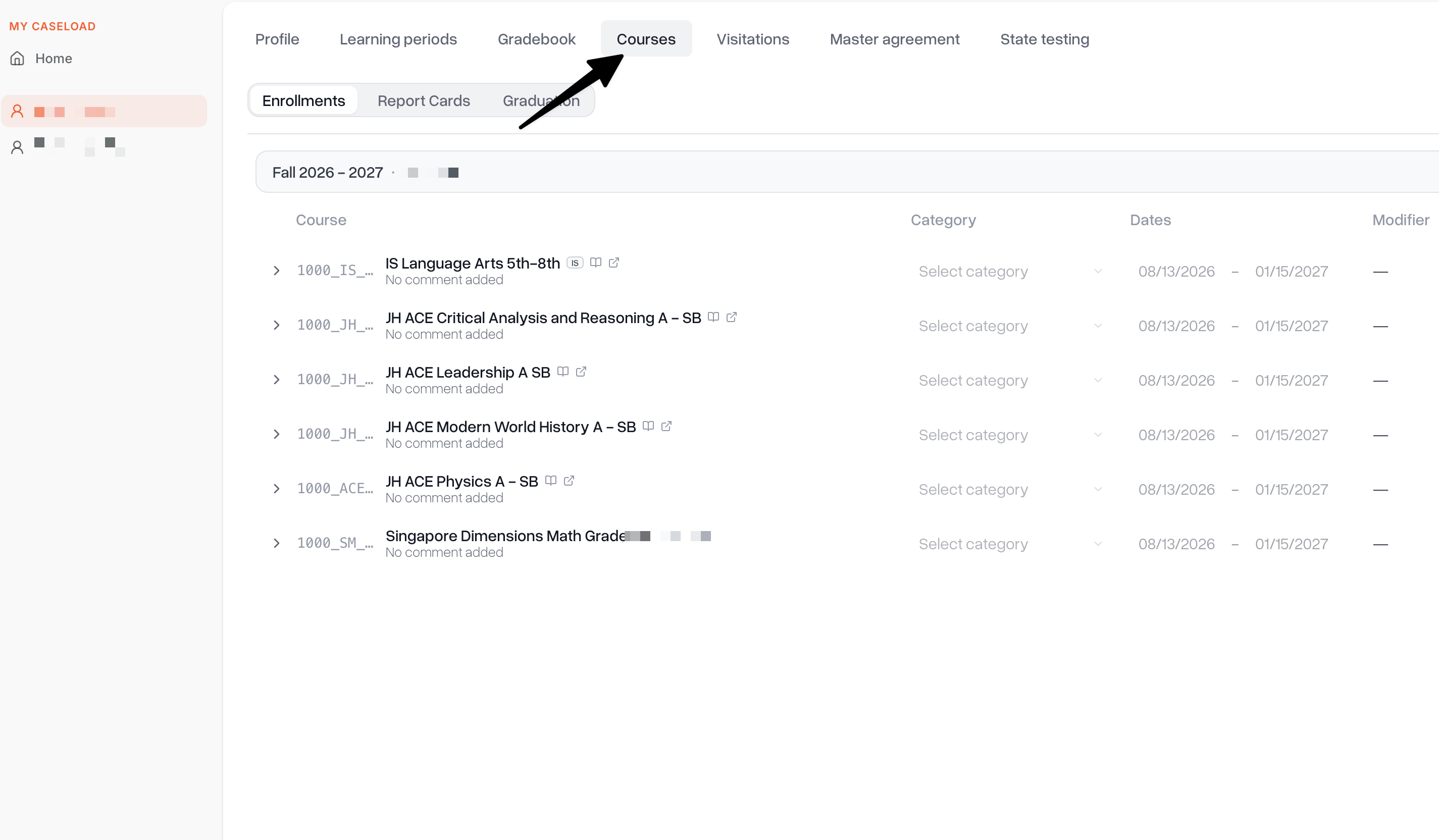
What you can see
The classes your child is currently enrolled in for the term
Enrollment status for each class
Requesting a course change
You can't add, drop, or swap classes yourself in Scout — Course changes are made by school staff. If you'd like a class added, dropped, or changed, contact your child's school directly (for example, the front office or your child's counselor) to make the request.
Once the school updates your child's enrollment, the change will appear automatically the next time you view their courses — there's nothing further you need to do in Scout.
Need help?
If your child is missing classes you expect to see, contact your school's administrative team.