Staff: Pulling compliance documents for a student
Last updated: March 19, 2026
How to view and download compliance documents for a student in a specific learning period.
Overview
Scout stores compliance documents for each student based on their enrollment, attendance, assignments, and other records. These documents are used to validate compliance with independent study regulations and can be viewed or downloaded from a student's profile.
This guide covers:
Navigating to the Compliance Archive
Selecting a school year and learning period
Viewing and downloading each document type
Understanding available document types
Navigating to the Compliance Archive
Open the student's profile (click their name from the Students directory or use
CMD+K/CTRL+Kto search)Click the Documents tab
Select the Compliance Archive sub-tab
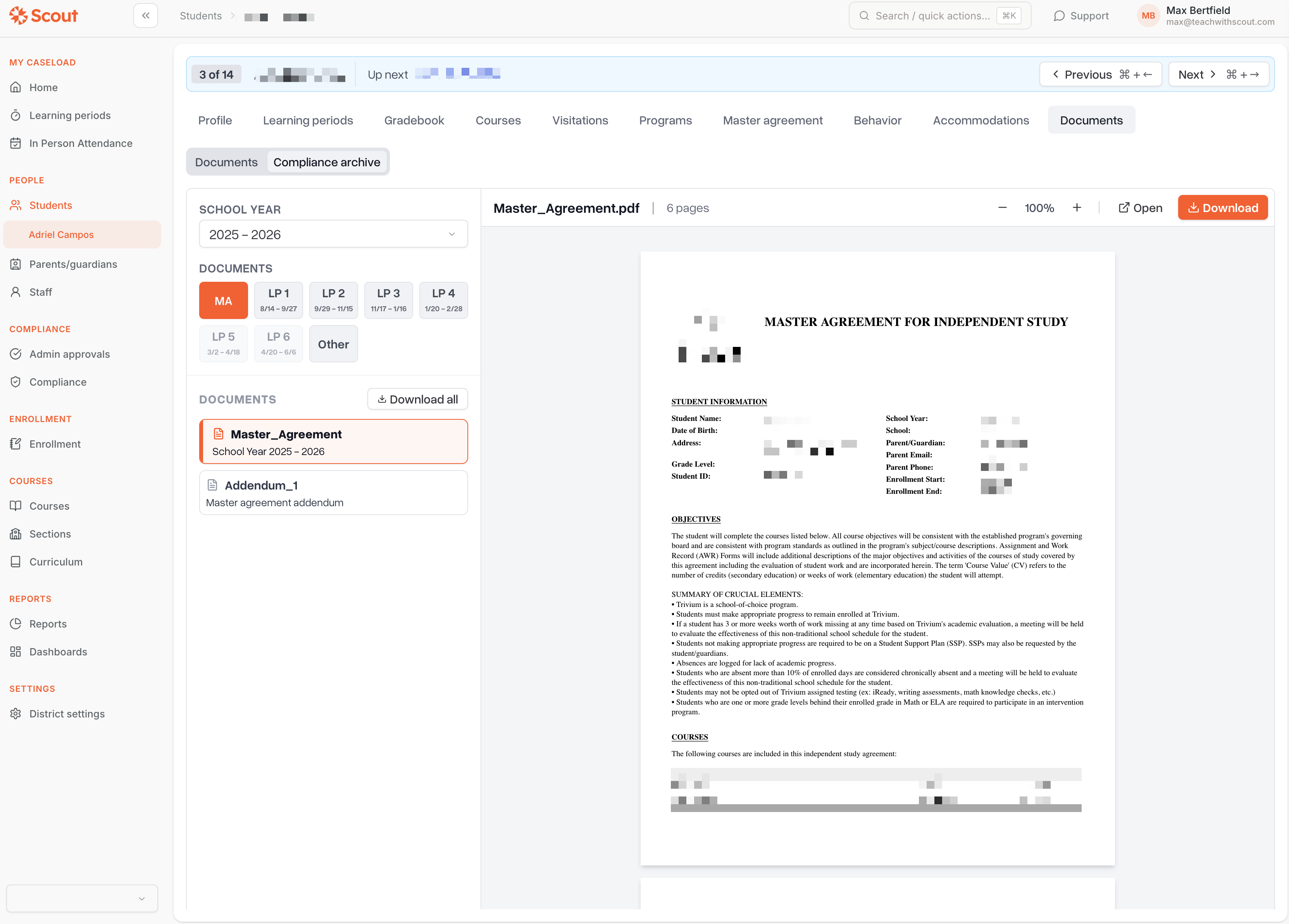
Selecting a school year and learning period
At the top of the Compliance Archive, you'll see two dropdown selectors:
School Year — Choose the school year you want to review. Only current and past school years are shown.
Learning Period — Choose one of the following:
Master Agreement — View the master agreement and any addenda for the school year
Other — View the immunization card and emergency card
Learning Period 1, 2, 3… — View compliance documents for a specific learning period
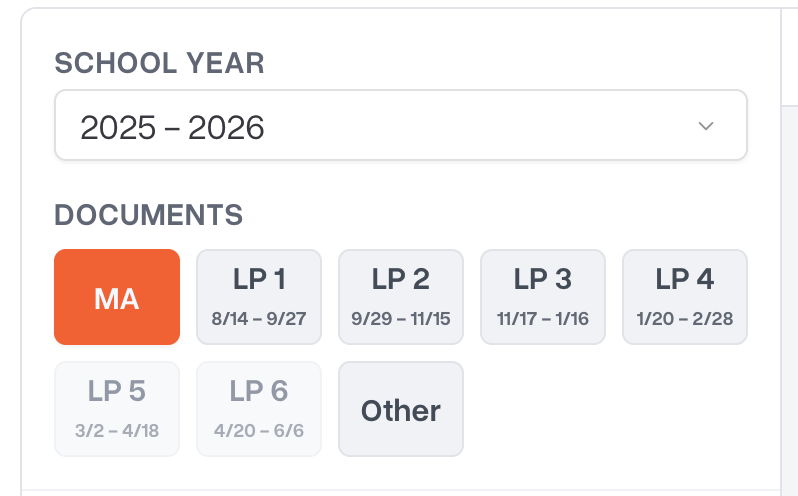
Note: Only learning periods where the student was actively enrolled will appear in the dropdown.
Document types by learning period
When you select a specific learning period, the following documents are available in the sidebar:
Document | What it contains |
Work Summary Report | Teacher's professional judgment of work value, attendance days claimed, and teacher signature |
Assignment and Work Record | Detailed list of assignments by course with grades and submission status |
Student Activity Log | Student activity entries with dates and details for the period |
Student Learning Log | Parent attestation of daily engagement (learning log entries) |
Live/Synchronous Instruction Report | Record of which days included synchronous (live) instruction |
Work Sample Packet | Collection of approved student work samples for the learning period |
Master Agreement documents
When you select Master Agreement from the learning period dropdown, you'll see:
Master Agreement (MA) — The core agreement between the parent, student, and teacher for the school year
Master Agreement Addenda (MAA) — Additional course-level agreements, listed individually
These documents are displayed as PDFs in the built-in viewer.
Student Records
When you select Student Records, you'll see:
Immunization Card — The student's immunization records and compliance status
Emergency Card — Emergency contact information and parent/guardian details
Viewing and downloading documents
Select the school year and learning period using the dropdowns
Click on a document name in the left sidebar
The document renders in the main panel on the right
Click the Download button to save the document as a PDF
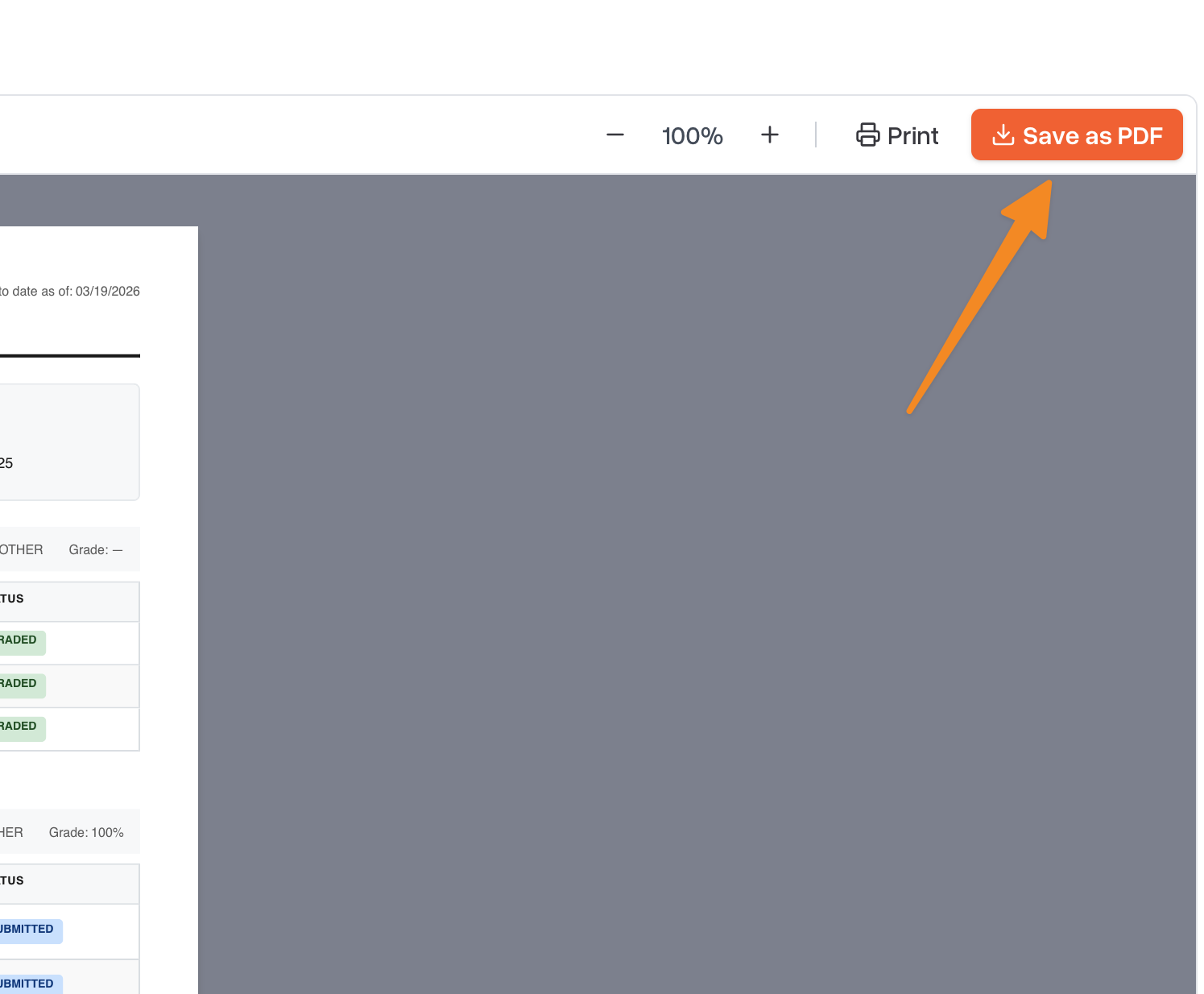
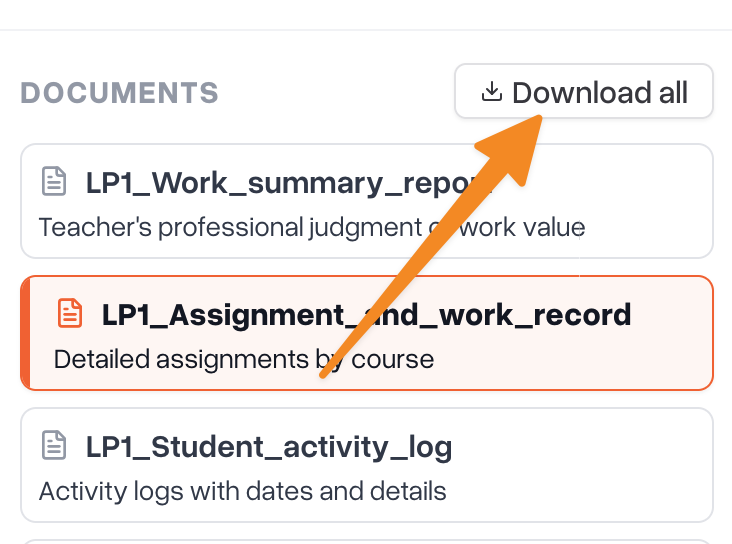
Tip: Master Agreement and Addenda documents are stored PDFs, while learning period documents (work summary, assignment record, etc.) are generated on the fly from your data in Scout.
Who can access compliance documents
Role | Access |
Administrators | Can view compliance documents for any student, plus access the school-wide Compliance dashboard |
Teachers | Can view compliance documents for students in their caseload |
Parents | Can view compliance documents for their own child |
Troubleshooting
Issue | Solution |
A learning period is missing from the dropdown | The student may not have been enrolled during that learning period. Only periods with an active enrollment are shown. |
A document shows no data | The underlying records (assignments, activity logs, etc.) may not have been entered yet for that learning period. |
Master Agreement shows as missing | The master agreement PDF may not have been uploaded or signed yet for the selected school year. |
No school years are available | The student may not have any current or past enrollments. Check that the student is enrolled in a school. |