Recording your child's engagement in Scout
Last updated: August 31, 2026
Scout lets you record your child's engagement activities — like offline coursework, in-person classes, or meetings with a teacher — directly from your parent account. Your school's staff reviews each entry before it's finalized.
What counts as engagement
Engagement is any learning activity your child completes, whether it happens online through a connected curriculum or meeting platform, or offline — such as completing a worksheet, attending an in-person class, or meeting with a teacher. Online activity is tracked automatically. Offline activity needs to be recorded by you, your child, or your school's staff.
How to record an activity
Log in to your Scout parent account and go to your Home page.
Find the Log engagement card and select your child from the dropdown (if you have more than one student linked to your account).
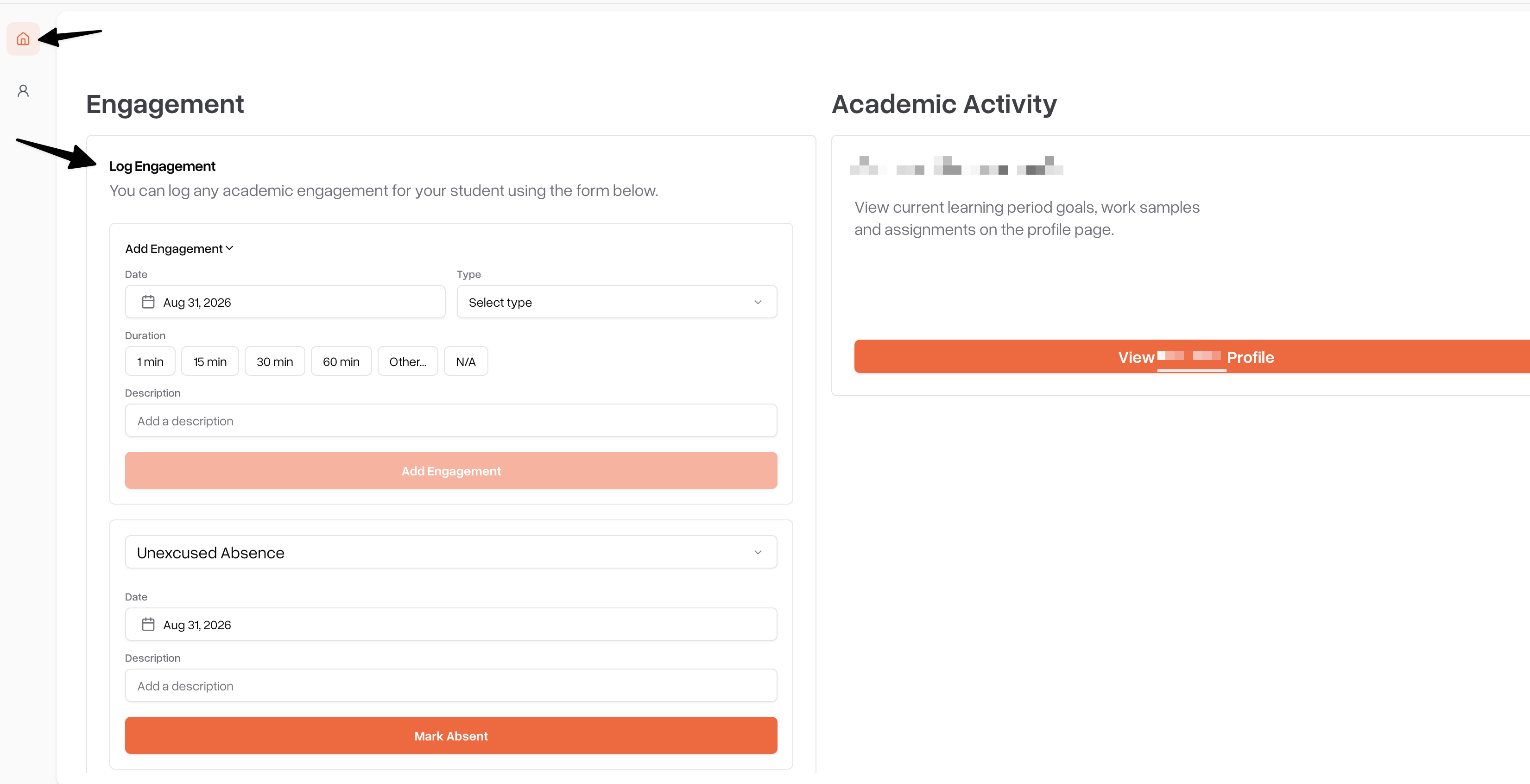
Choose the date the activity took place.
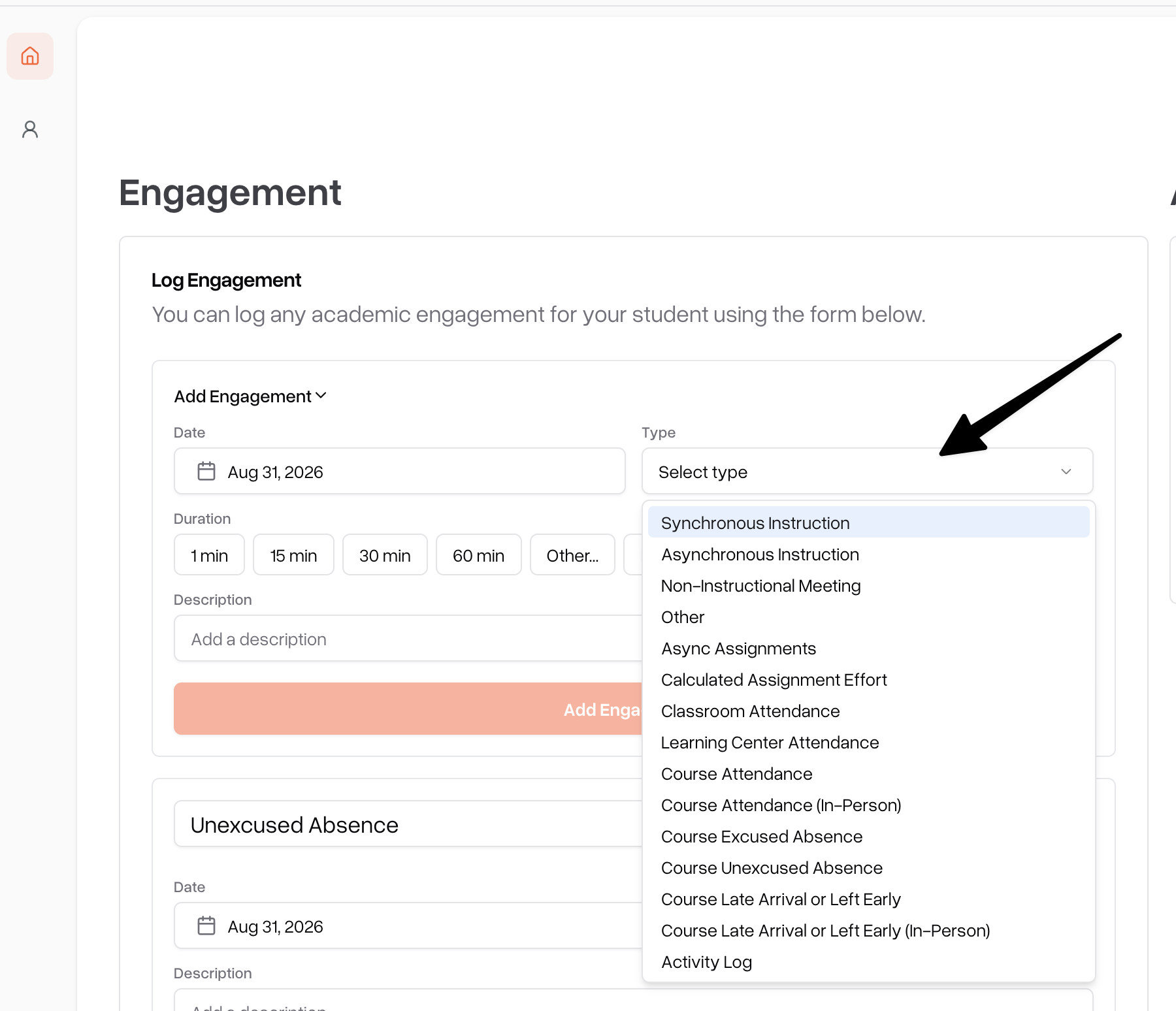
Select an activity type (for example: Offline Coursework, Teacher Conference, or In-Person Class).
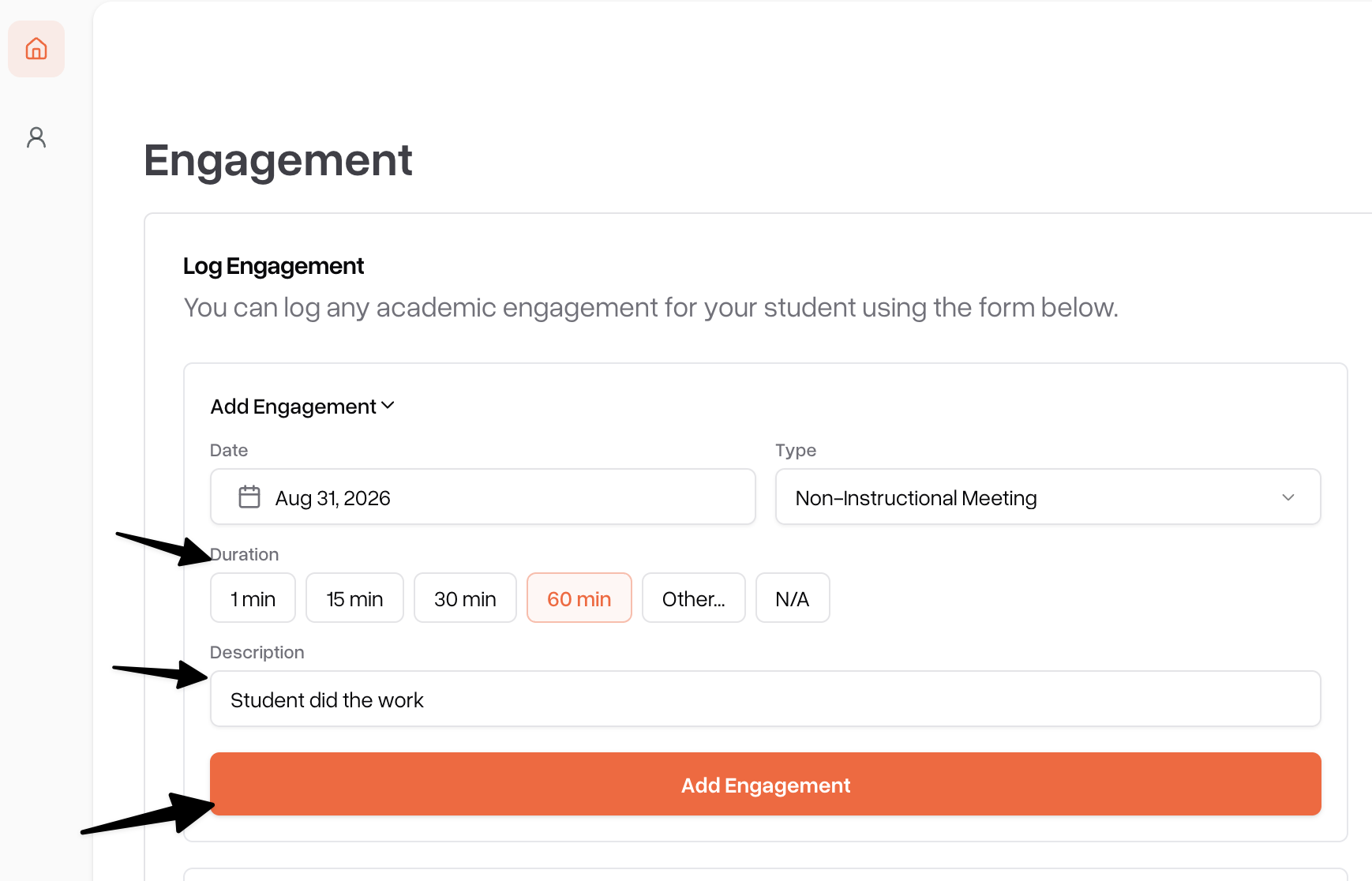
Enter the duration in minutes.
Optionally, add a short description of what your child worked on.
Click Add Engagement to submit it.
Recording Bulk Engagement.
Go to student profile
Navigate to the "Learning Periods" tab
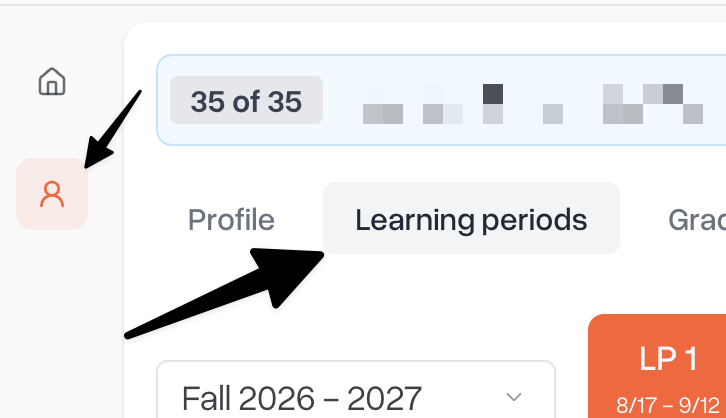
scroll down to engagement section
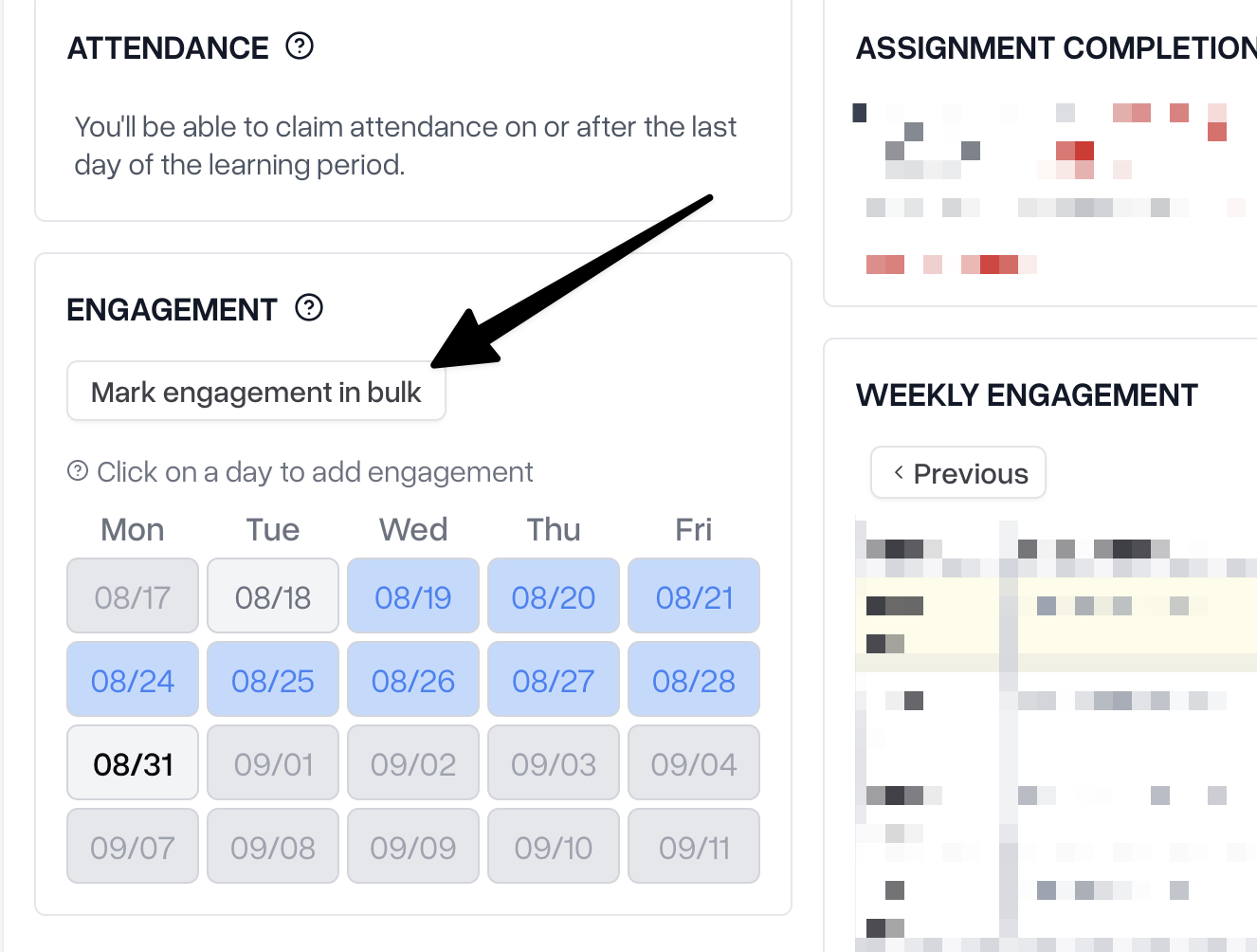
Select "Mark Engagement in Bulk"
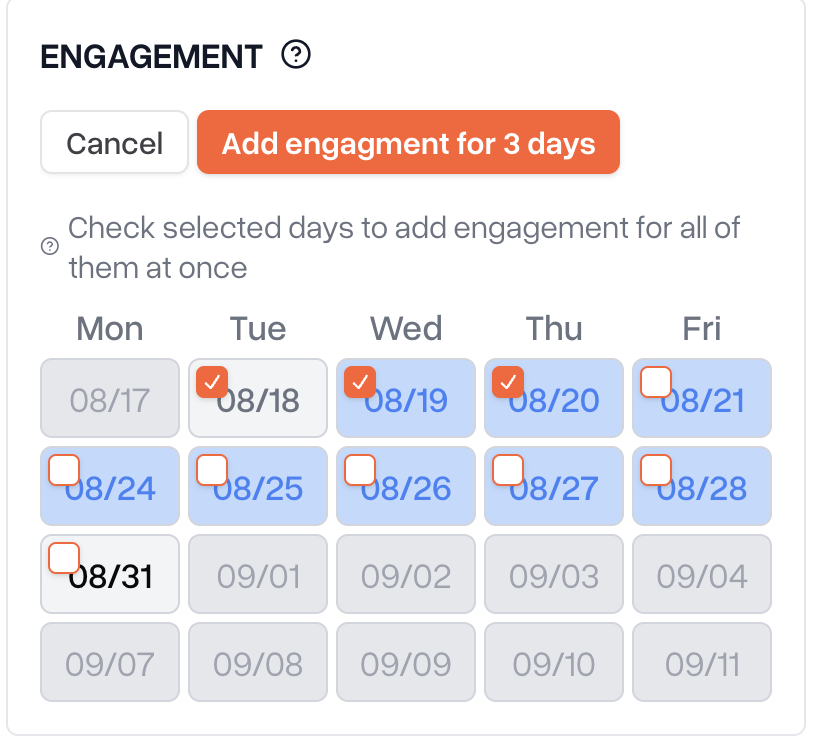
Select the days you want and press "Add Engagement for X days"
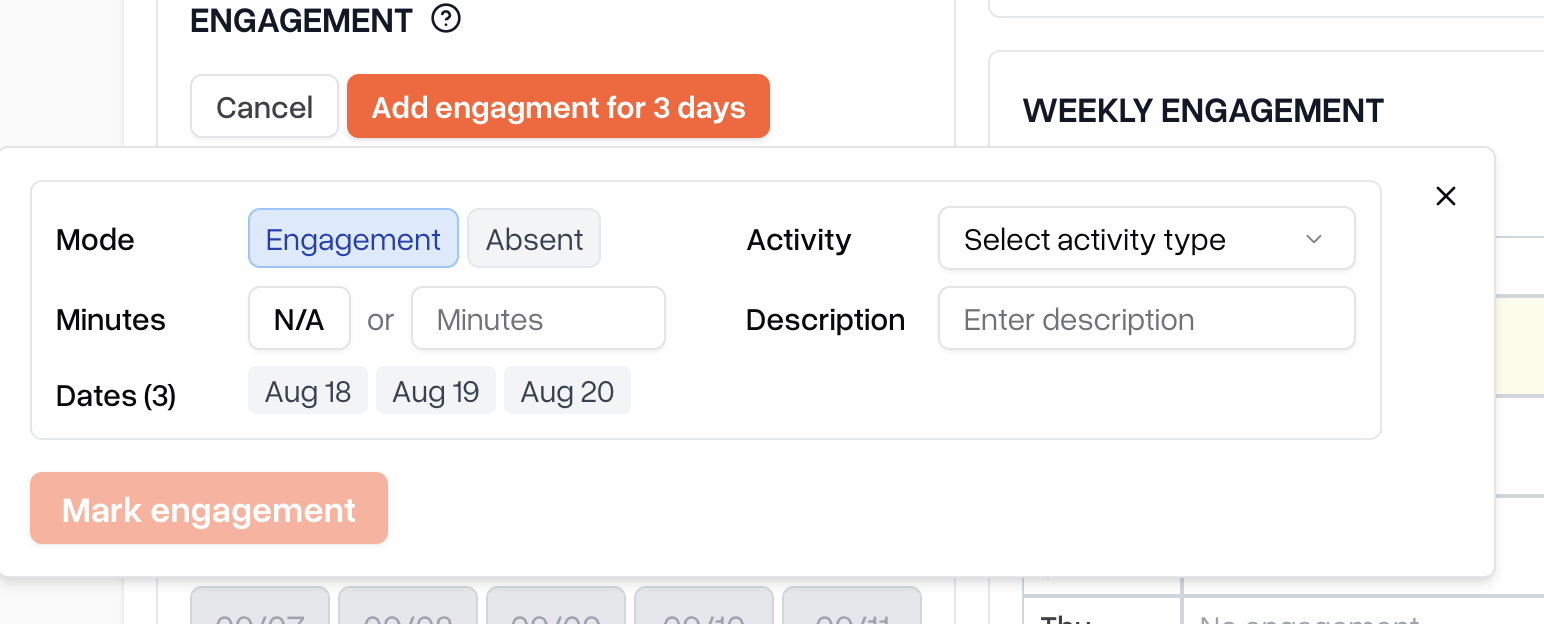
Fill out the information the same as when logging single engagement's
What happens after you submit
Activities you record don't appear as complete right away — they're sent to your school's staff as pending so they can confirm the details. Once a staff member approves the entry, it's added to your child's engagement record. If an entry needs a correction, staff may reject it, and you can submit it again with the right details.
Frequently asked questions
Can I record engagement for a past date? Yes — use the date picker to select any past date within the current learning period.
Can my child record their own engagement instead? Yes, if your child has their own Scout account, they can record activities the same way. Either of you can do it.
Why isn't an activity showing up yet? It's likely still pending review by your school's staff. Once approved, it will appear on your child's engagement record.
What if I made a mistake on an entry? Contact your school's staff — they can correct or remove an entry pending review.
Recording engagement on mobile
You can also record engagement from the Scout mobile app. Watch these videos for a walkthrough:
Single Engagement Log
Bulk Engagement Log
Need help?
If you run into trouble that isn't covered above, contact your school's administrative team.