Uploading Work Samples
Last updated: September 3, 2026
Scout gives you a place to keep a portfolio of your student's work. You can upload photos, documents, and other files so your school has an up-to-date record of what your student has been working on.
Overview
Each student's portfolio lives on their profile in Scout. Anything you upload is stored with the student's record so their teachers and the school's administrative team can review it.
If you primarily use the Scout app, scroll to the App Instructions section below.
Step 1: Open your student's profile
Log in to your Scout parent account and select your student from your home page. If you have more than one student, choose the one whose portfolio you want to update.
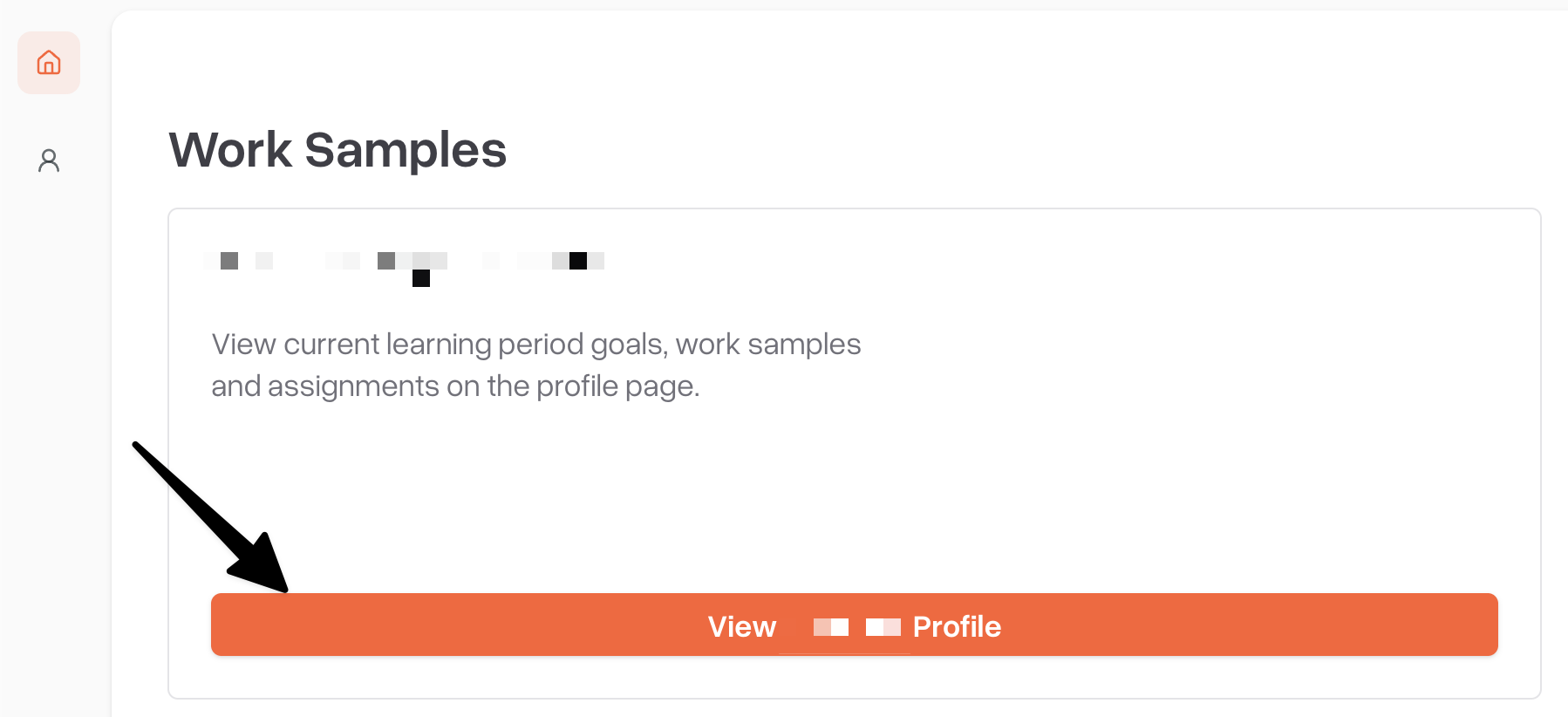
Step 2: Go to the "Work Samples" section
On the student's profile, scroll down to find the Work Samples section. This is where all of the work you've uploaded for that student is listed.
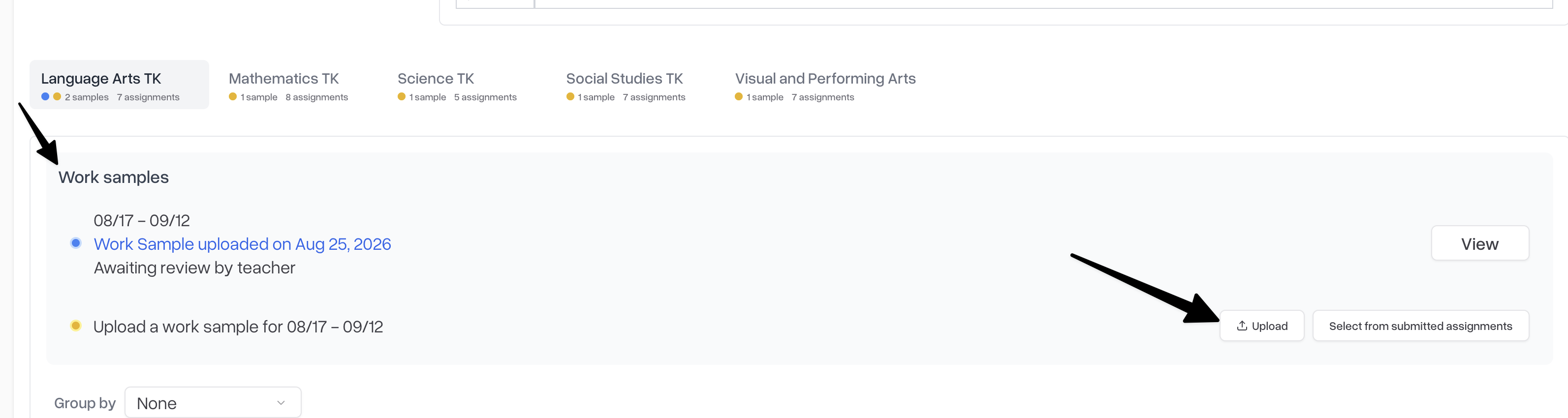
Step 3: Upload the work
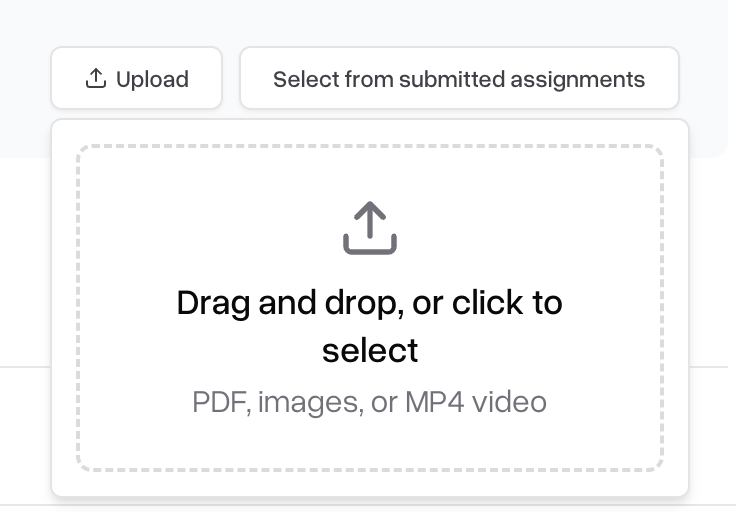
Click Upload and choose the file from your device. You can upload common file types such as photos, PDFs, and documents.
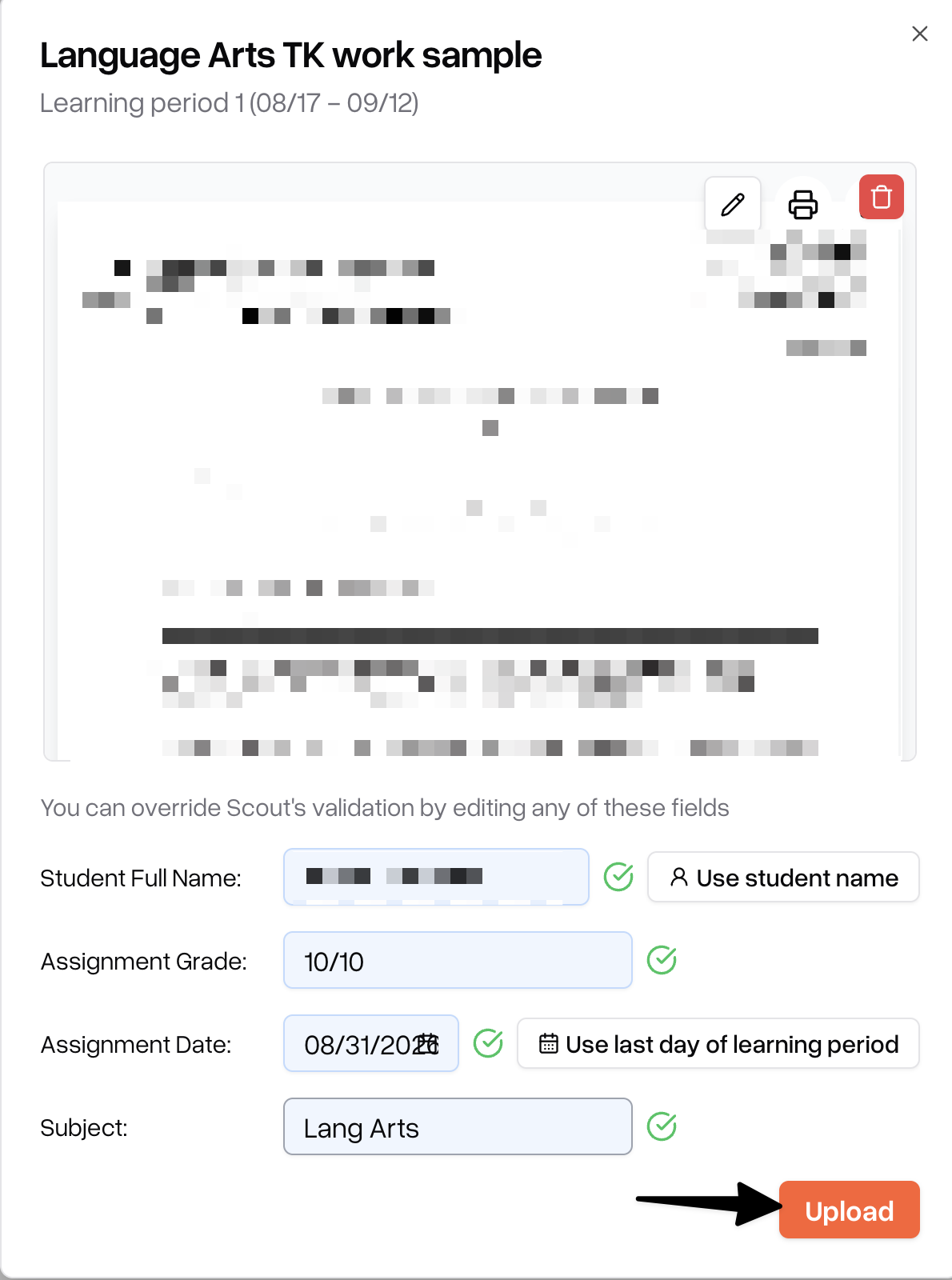
Select the file you want to add
Add a title so the item is easy to identify later
Select the Learning Period you wish to upload the assignment to
Click Upload
Managing uploaded work
From the Assignment Submissions section you can open any item to review it, update its title or description, or remove it if you added it by mistake.
Only upload work that belongs to your own student. Items you upload are visible to your school's staff.
App Instructions
Navigate to "Work Samples" on the home page.
Select the Learning period and work sample that needs to be uploaded
Scan or upload a work sample
Click upload to submit the work sample
Mobile tutorial videos
Uploading Work Sample.
Note: All assignments uploaded can be found in the Assignments tab, and can be edited or deleted if needed.
Locating Work Samples and assignments
You can find work samples and assignments in the "Assignments" tab on the home page:
Need help?
If you run into trouble uploading work to your student's portfolio, contact your school's administrative team.