How to add an activity log to any course
Last updated: January 23, 2026
Follow these steps to enable activity logs for a course. (Note that only admins can update course details)
Step 1: Open the Course
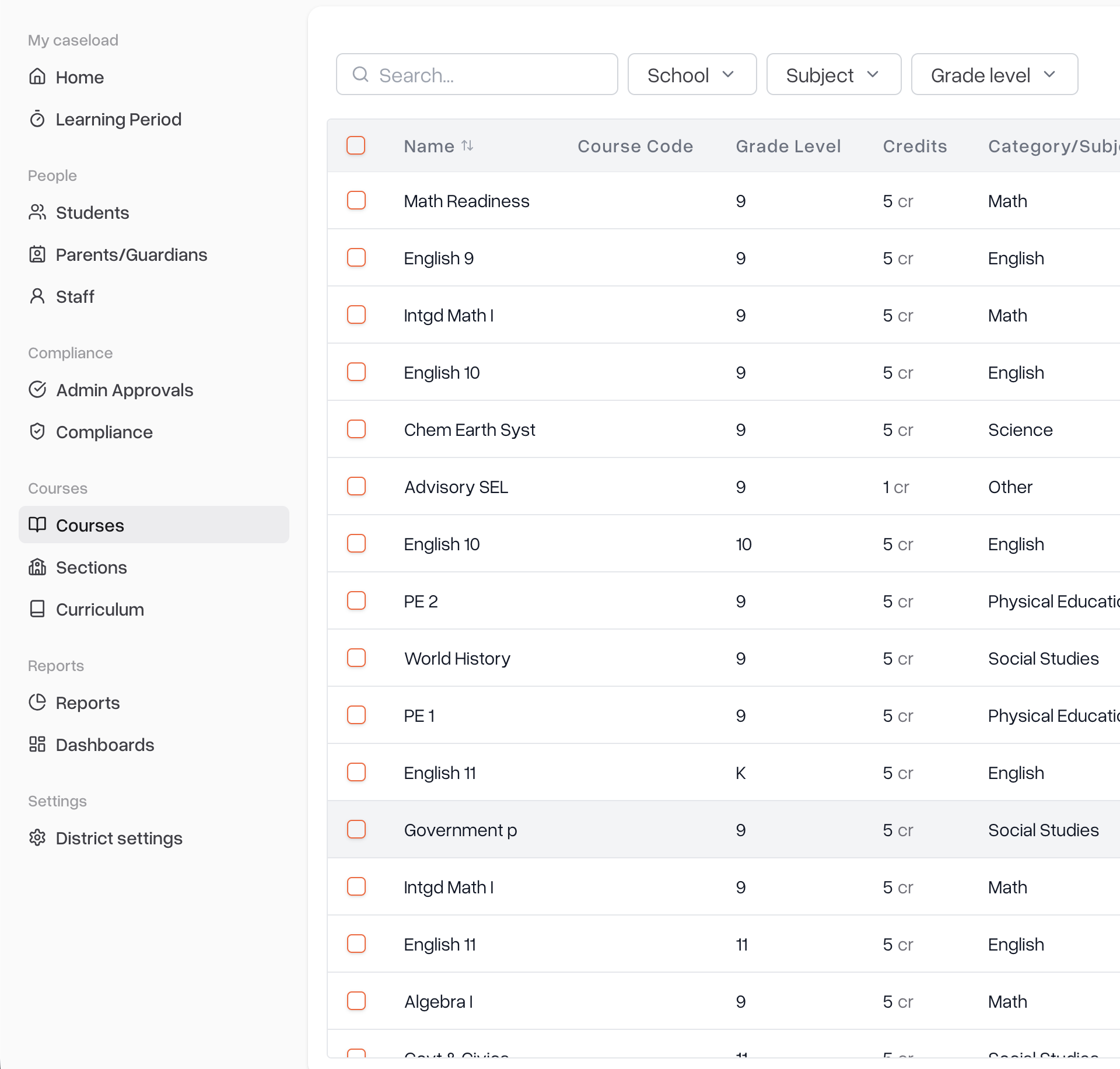
Go to the Courses tab.
Find and select the course you want to update.
Step 2: Enable Activity Logging
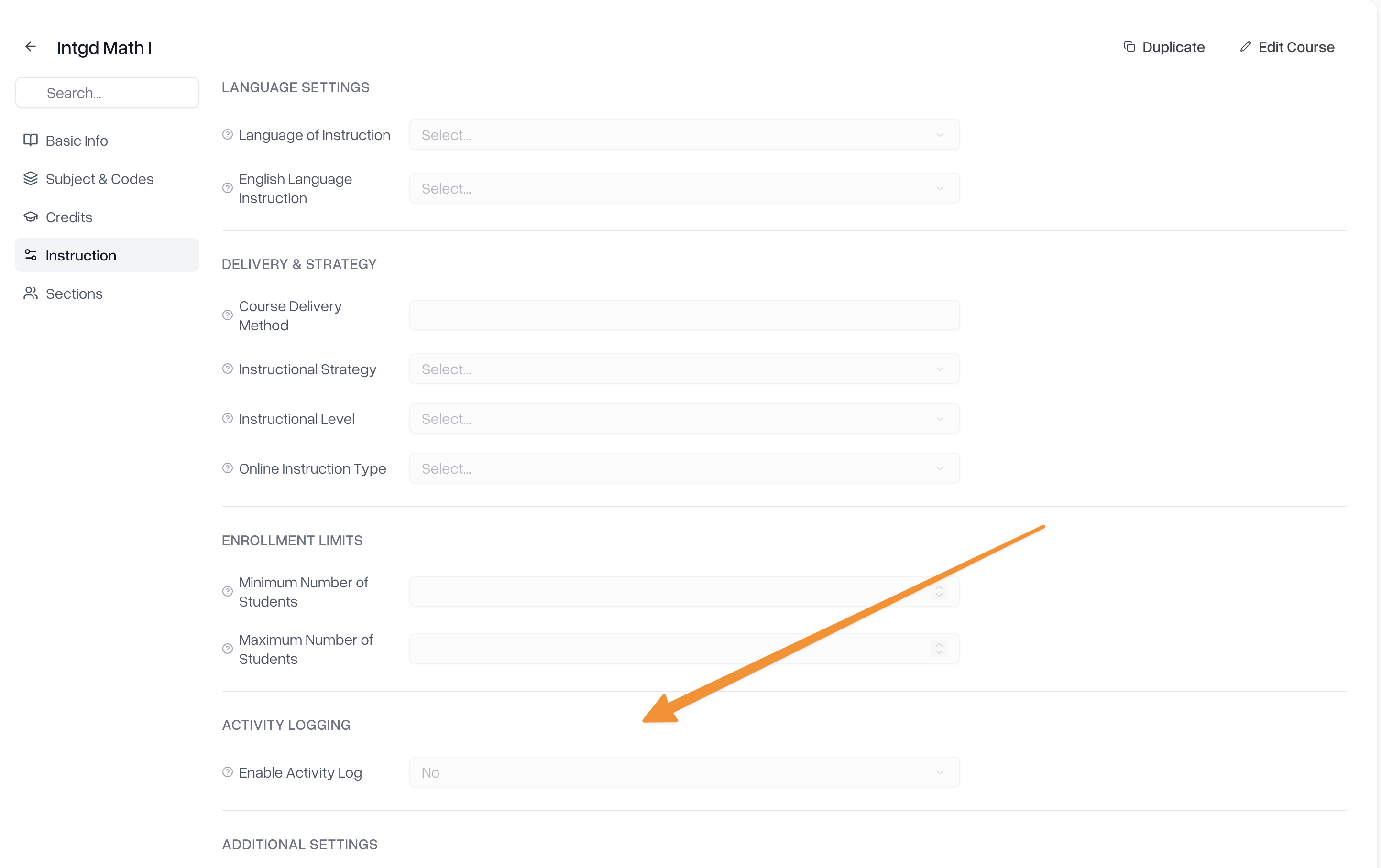
Open Course Settings.
Navigate to Instruction → Activity Logging.
Enable the setting that creates activity logs.
Step 3: Confirm for Students
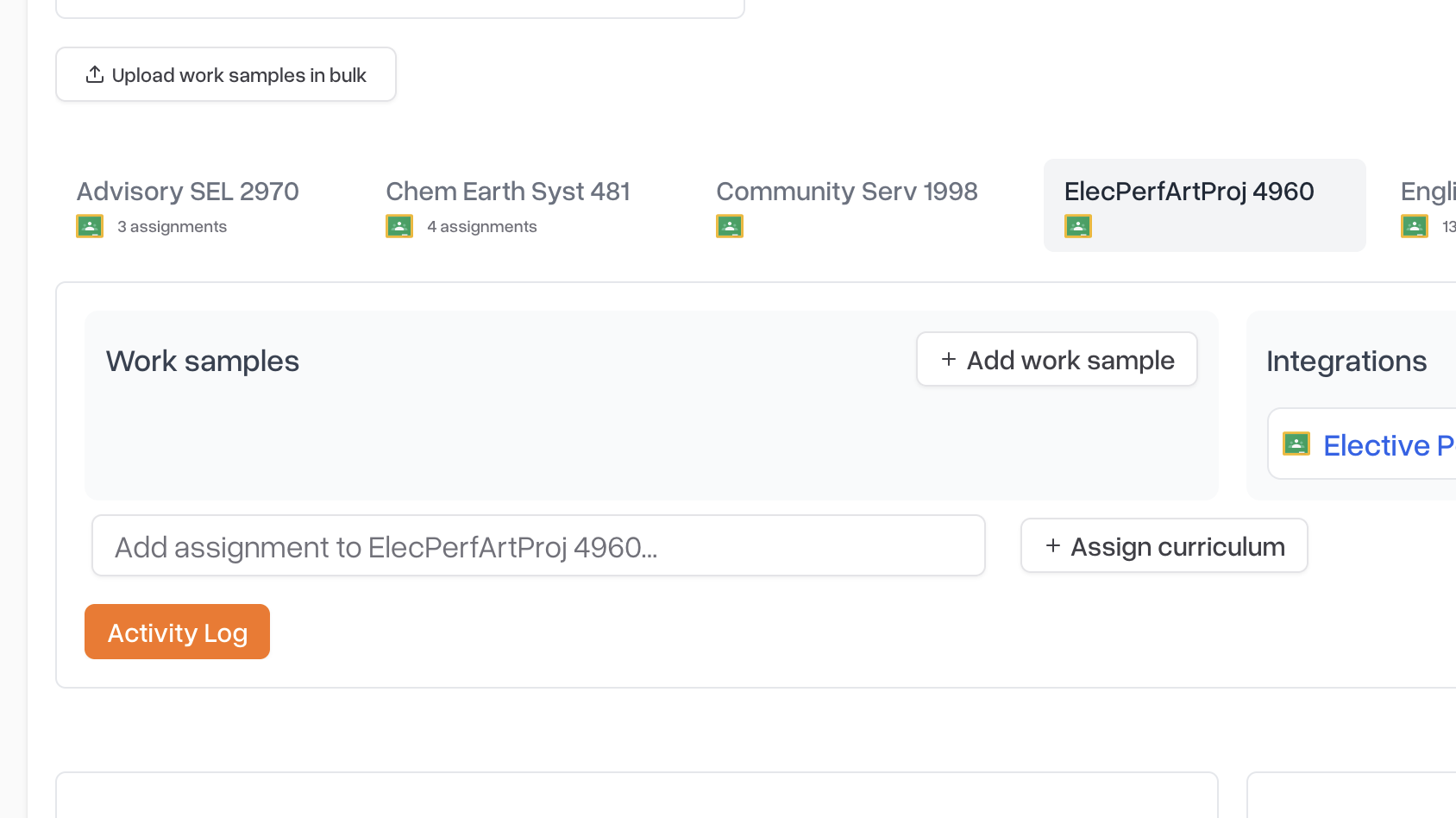
Once enabled, the activity log will automatically appear for all students enrolled in the course in their learning period tabs
That’s it — no additional setup required.