How to Add Grades Per Learning Period in the Scout Gradebook
Last updated: February 27, 2026
This guide explains how to configure your gradebook to calculate grades Per Learning Period Average, organize assignments correctly, enter Learning Period grades, and confirm they are reflected in the overall course average.
Overview
When using Per Learning Period Average, Scout calculates the overall course grade based on the final grade entered for each Learning Period (LP), rather than calculating directly from individual assignment averages.
Step 1: Configure the Gradebook to “Per Learning Period Average”
Before entering grades, confirm your section is set to use this calculation method.
How to Configure
Navigate to A students profile -> Gradebook Tab
Select the desired section
Click Configure Gradebook
Locate Calculation Method
Select Learning Period Average
Click Save
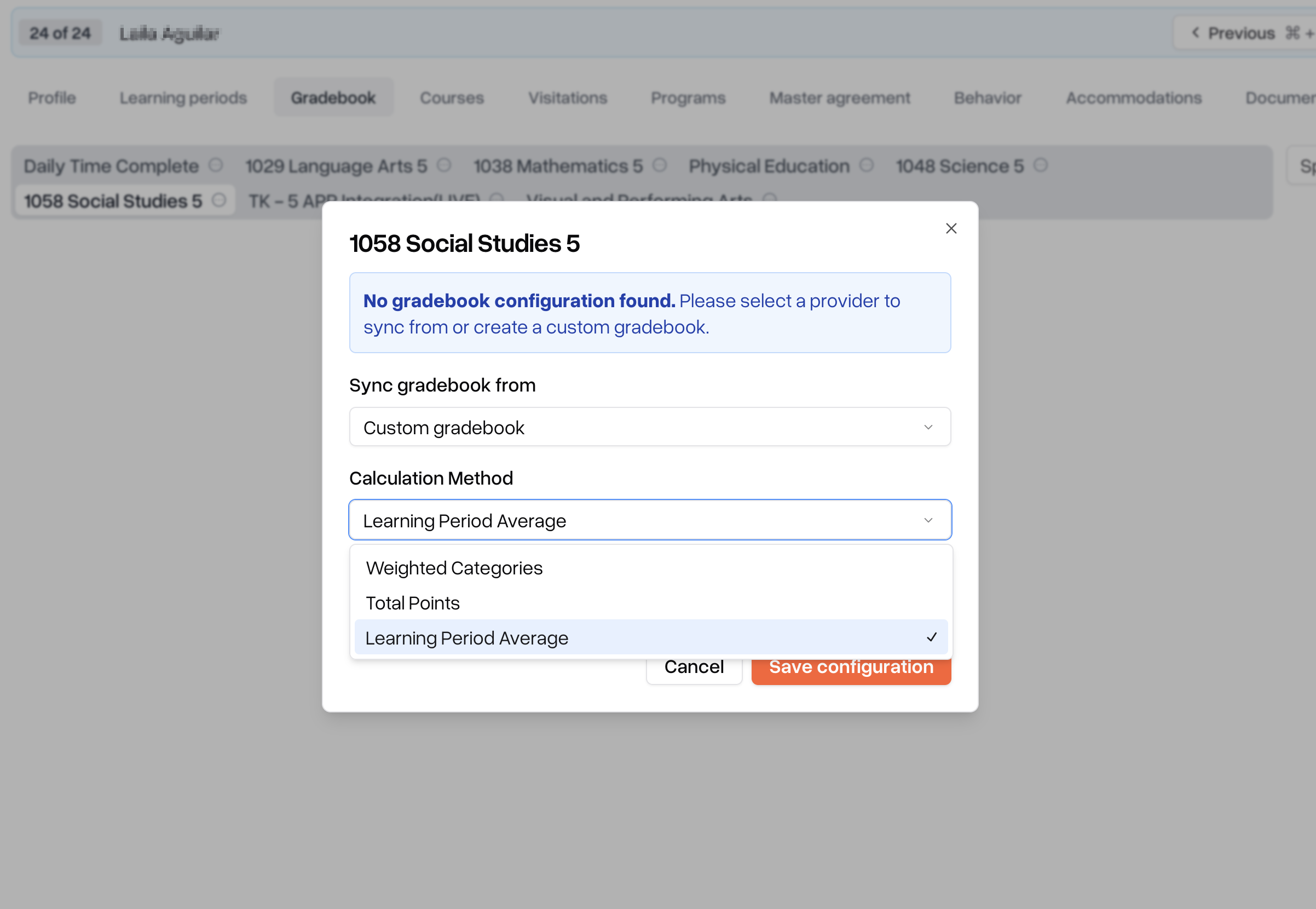
Once saved, Scout will calculate overall grades based on Learning Period grades.
Important: If this setting is not enabled, the gradebook will continue calculating from total points averages
Step 2: Group Assignments by Learning Period
Assignments must be assigned to a Learning Period for proper organization and reporting.
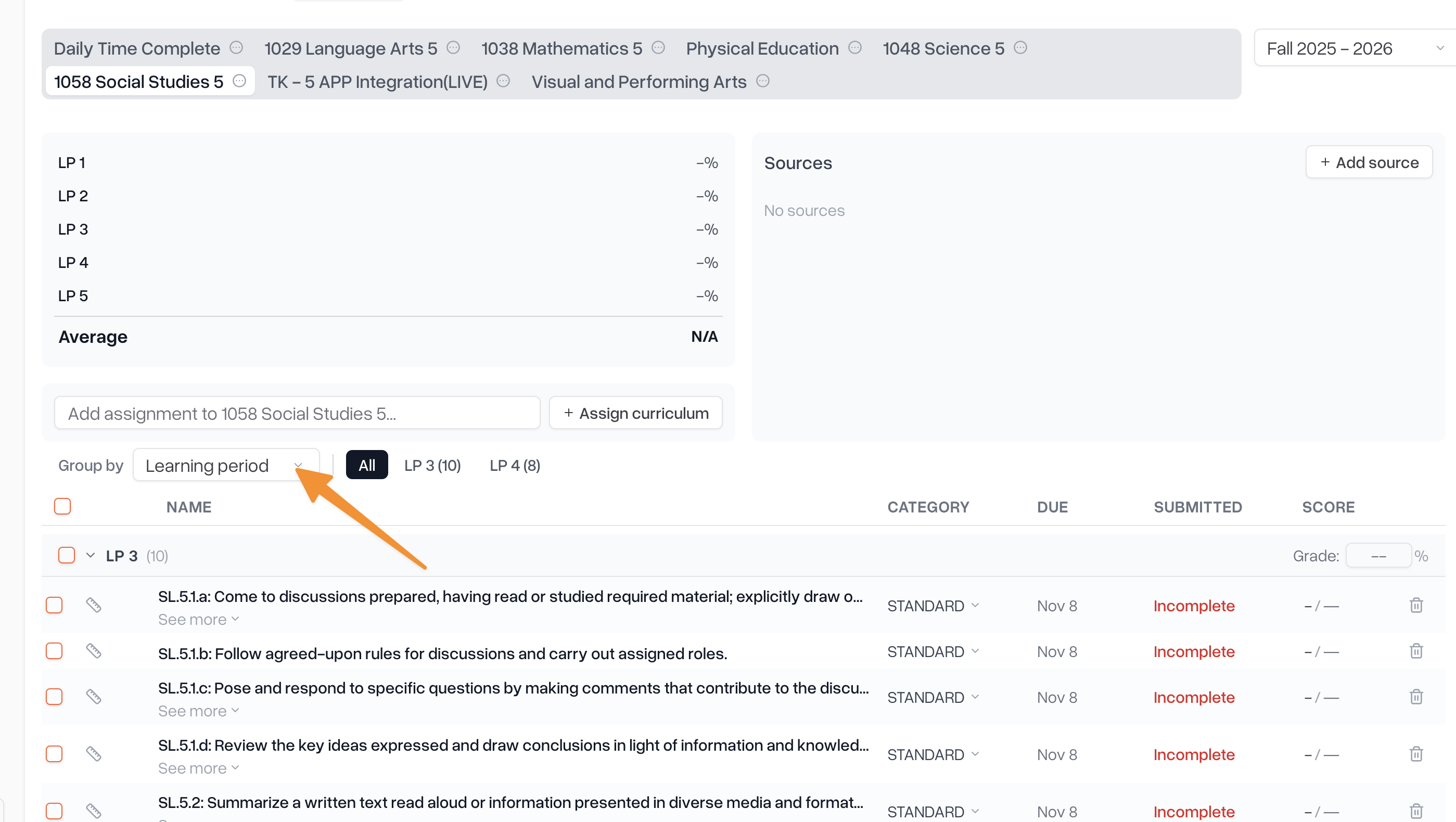
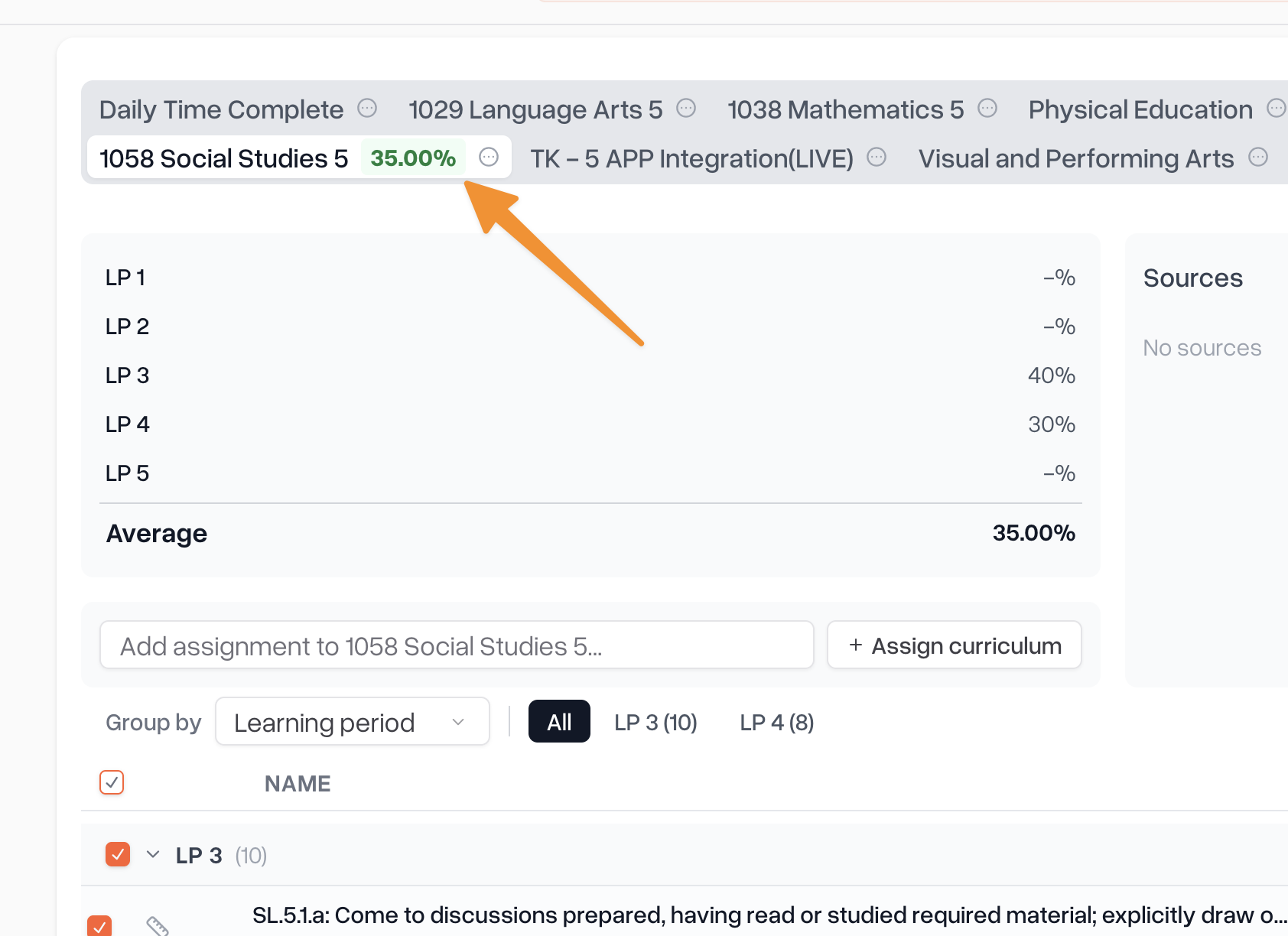
Select learning period as the assignment grouping in the gradebook and you'll be able to see all the assignments for that learning period. You can mark them as done, or bulk give them a grade from this view as well
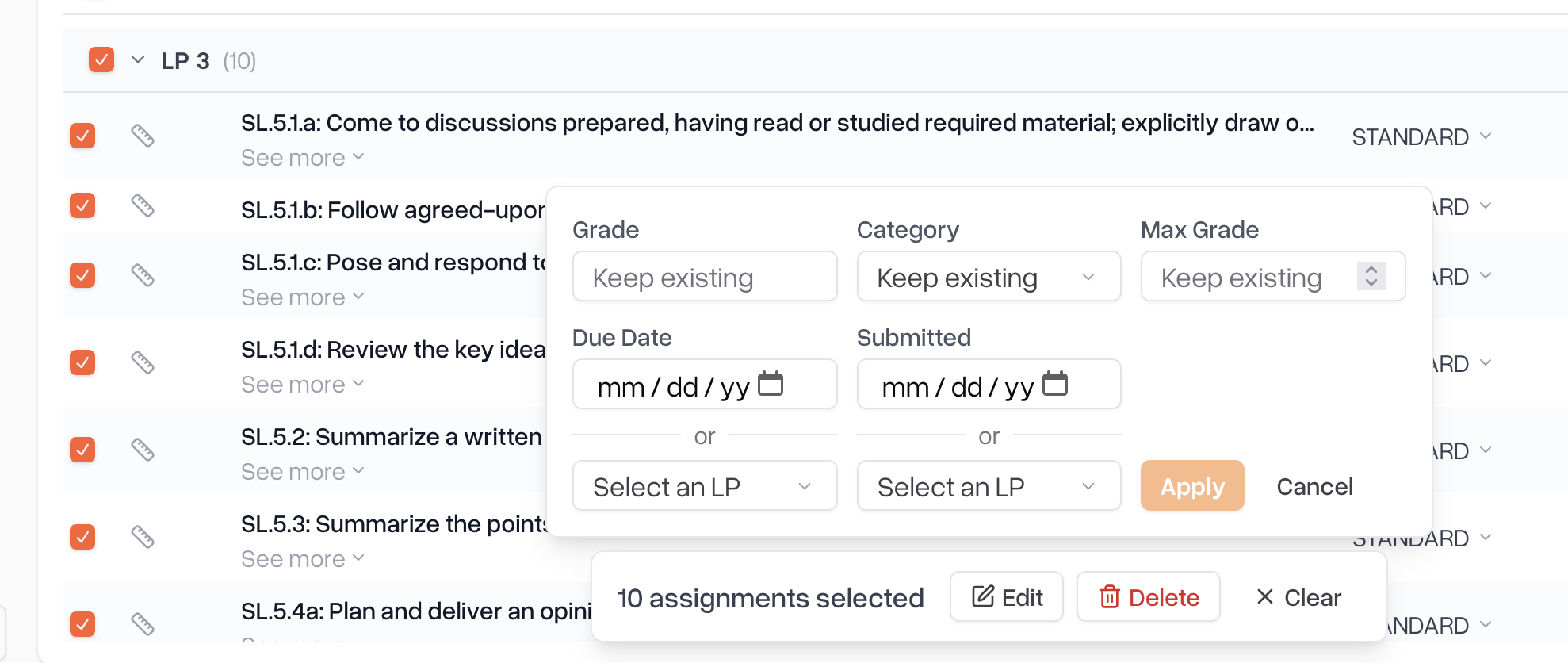
You can click the checkboxes to perform bulk actions on the assignments, like marking them all as submitted on the last day of the LP, or giving them all a grade.
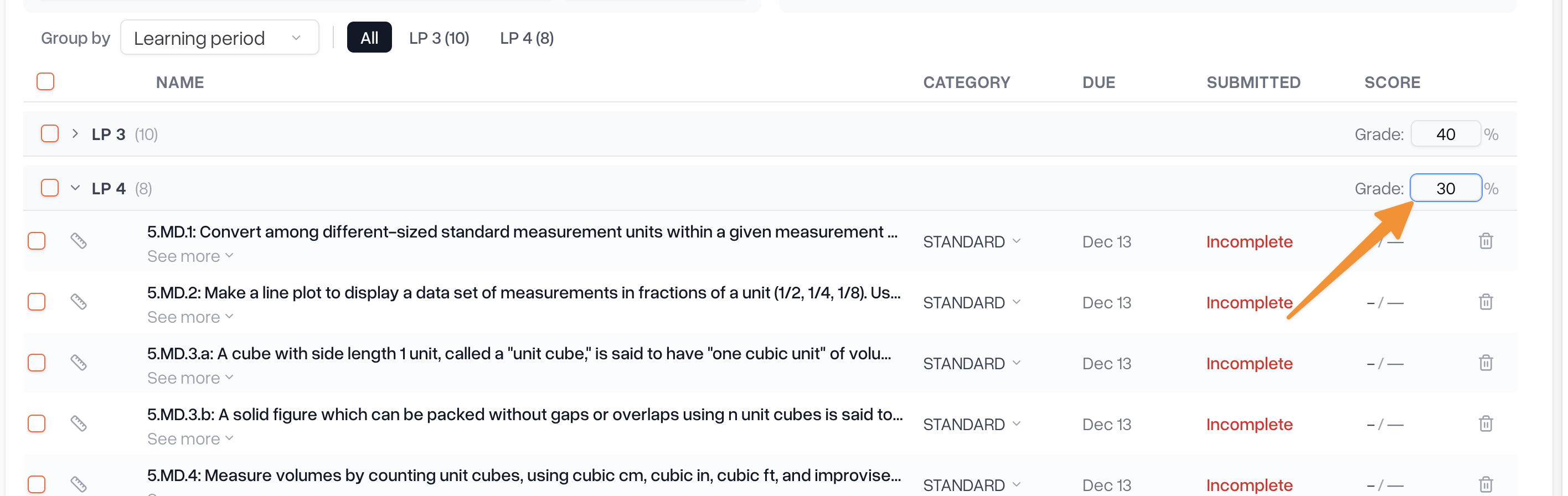
Step 3: Add a Grade for Each Learning Period
After assignments are organized and the Learning Period has concluded, you can enter final LP grades.
Step 4: Confirm the Overall Average Updates
Once Learning Period grades are entered:
Scout automatically recalculates the Overall Course Grade
The Overall Grade column updates immediately
The grade is reflected in:
The Gradebook view
Student records
Report cards (if applicable)
No additional action is required.